





Table of Contents
Overhead shots are useful for more than just food photography. Whether you're filming a cooking tutorial, photographing products, recording an unboxing, or creating a DIY video, shooting from above gives viewers a clear view of what you're working on.
The challenge is finding a tripod that can position your camera directly over the subject without getting in the way. A regular tripod may not offer enough horizontal reach, while a dedicated overhead setup can take up more space than you need. That's where a tripod with a horizontal center column can help.
In this guide, we'll explain how overhead tripods work, explore common uses for overhead photography, and introduce a few NEEWER solutions for overhead photos and videos.
What Is an Overhead Tripod?
An overhead tripod is a tripod setup that positions a camera above a subject, pointing downward to capture a top-down view. It's commonly used for flat-lay photography, product demonstrations, cooking videos, art tutorials, and other content where the action happens on a table or work surface.
Not every overhead setup uses the same equipment. Some use a standard tripod with a horizontal center column, while others rely on a dedicated desk mount, boom arm, or overhead camera stand. The right setup depends on your shooting space, the camera position you need, and the equipment you're mounting.
A tripod with a horizontal center column is particularly useful because it allows the camera to extend beyond the tripod legs. Instead of positioning the entire tripod directly over the subject, you can keep the legs to the side and move the camera into position.
This can make it easier to frame a tabletop scene while keeping the work surface clear.
What Can You Use an Overhead Tripod For?
An overhead tripod is useful whenever you want to show a subject from directly above. Here are some common applications.
Product Photography and Flat Lays
Overhead photography works well for products arranged on a flat surface, including cosmetics, accessories, electronics, stationery, and other small items. Shooting from above helps keep the composition organized and makes it easier to show how different items fit together.
A horizontal center column can help position the camera over the arrangement without placing tripod legs around the shooting surface. This is especially useful when you need to adjust the composition between shots.
Cooking Videos and Recipe Tutorials
When filming a recipe, viewers often need to see exactly what your hands are doing. An overhead angle can show ingredients being prepared, food being assembled, or a dish being plated.
A tripod with an adjustable horizontal center column lets you position the camera above a countertop or worktable. Before recording, make sure the tripod is stable and that the camera remains securely mounted as you move the arm into position.
Art, Crafts, and DIY Videos
Drawing, painting, crafting, and other hands-on tutorials often benefit from a top-down view. It allows viewers to follow each step without the creator's hands or body blocking the main action.
For these setups, consider the width of your work surface and how far the camera needs to extend. A longer horizontal arm can provide more positioning flexibility, but it also requires careful attention to balance and support.
Unboxing and Desk Setup Videos
An overhead angle can make it easier to show what's inside a package, how accessories are arranged, or how a product is assembled. It can also work well for keyboard builds, small electronics projects, and other desk-based content.
If you record these videos regularly, a tripod that can switch between overhead and conventional shooting positions may be more practical than a dedicated overhead stand.
Overhead Tripod vs. Horizontal Center Column Tripod
The terms overhead tripod and horizontal tripod are related, but they don't mean exactly the same thing.
An overhead tripod describes how the camera is positioned and what the setup is used for. A horizontal center column tripod describes a tripod design that allows its center column to extend sideways, making overhead positioning easier.
|
Feature |
Overhead Tripod Setup |
Horizontal Center Column Tripod |
|
Main purpose |
Position a camera above a subject |
Extend the camera sideways from the tripod |
|
Typical equipment |
Tripod, boom arm, desk mount, or overhead stand |
Tripod with a horizontally adjustable center column |
|
Best for |
Top-down photography and video |
Overhead shots plus other camera angles |
|
Space requirements |
Depends on the mounting system |
Requires room for the tripod legs and extended column |
|
Flexibility |
Depends on the setup |
Often supports conventional and overhead shooting |
|
Main consideration |
Mounting position and stability |
Horizontal reach, balance, and load capacity |
A horizontal center column tripod can be an effective overhead solution, but it isn't the only option. A desk mount may be more convenient for a permanent workstation, while a dedicated stand may suit a larger studio.
If you want one tripod that can handle overhead shots and everyday photography, a model with a flexible center column is worth considering.
Best NEEWER Tripods and Accessories for Overhead Photography
The best setup depends on whether you need a complete tripod or an accessory to extend equipment you already own. These three NEEWER options cover different needs, from a versatile camera tripod to a dedicated horizontal extension arm.
NEEWER TP63 Overhead Horizontal Camera Tripod Monopod

The NEEWER TP63 is a versatile option for creators who want to capture overhead shots without giving up the flexibility of a conventional tripod. Its center column can be raised and positioned horizontally, allowing you to move the camera over a product, tabletop arrangement, or work surface. The adjustable column also supports different shooting angles, making the tripod useful beyond overhead photography.
The TP63 can extend up to 90.6 inches (230 cm) with its raised center column and folds down to approximately 21 inches (53 cm) for storage. It also converts into a monopod, which is useful if you want one piece of equipment for overhead content, travel photography, and other shooting situations.
Pros:
· Flexible center column supports overhead, angled, and conventional camera positions
· Converts into a monopod for shooting in tighter spaces or changing locations
· Arca-type quick-release system helps simplify camera mounting and removal
Key Parameters
|
Parameter |
TP63 |
|
Maximum tripod height |
90.6" / 230 cm |
|
Minimum tripod height |
25.2" / 64 cm |
|
Folded length |
21" / 53 cm |
|
Maximum load capacity |
13.2 lb / 6 kg |
|
Weight |
Approx. 4.1 lb / 1.86 kg |
|
Main features |
Adjustable center column, monopod conversion |
NEEWER BASICS TP66 Horizontal Overhead Tripod

The NEEWER TP66 is designed for creators who want a portable tripod with dedicated overhead positioning. Its center column can be mounted horizontally and adjusted to help position a camera or phone above a tabletop. This makes it suitable for recipe videos, unboxing recordings, product demonstrations, and other content where a top-down angle is useful.
The TP66 extends from 20.2 to 64.5 inches (51.5–164 cm) and folds down to approximately 21.6 inches (55 cm). Its center column can tilt up to 180° and rotate 360°, giving you flexibility when switching between overhead, angled, and standard shooting positions. A hook is also included for adding weight to improve stability when needed.
Pros:
· Compact folded size makes it easier to carry between home, studio, and outdoor locations
· Adjustable center column supports overhead, macro, and conventional shooting angles
· Includes a stability hook for adding suitable counterweight when needed
Key Parameters
|
Parameter |
TP66 |
|
Maximum tripod height |
64.5" / 164 cm |
|
Minimum tripod height |
20.2" / 51.5 cm |
|
Folded length |
21.6" / 55 cm |
|
Maximum load capacity |
22 lb / 10 kg |
|
Weight |
Approx. 3.45 lb / 1.57 kg |
|
Center column length |
18.8" / 47.5 cm |
|
Main features |
Horizontal center column, monopod conversion |
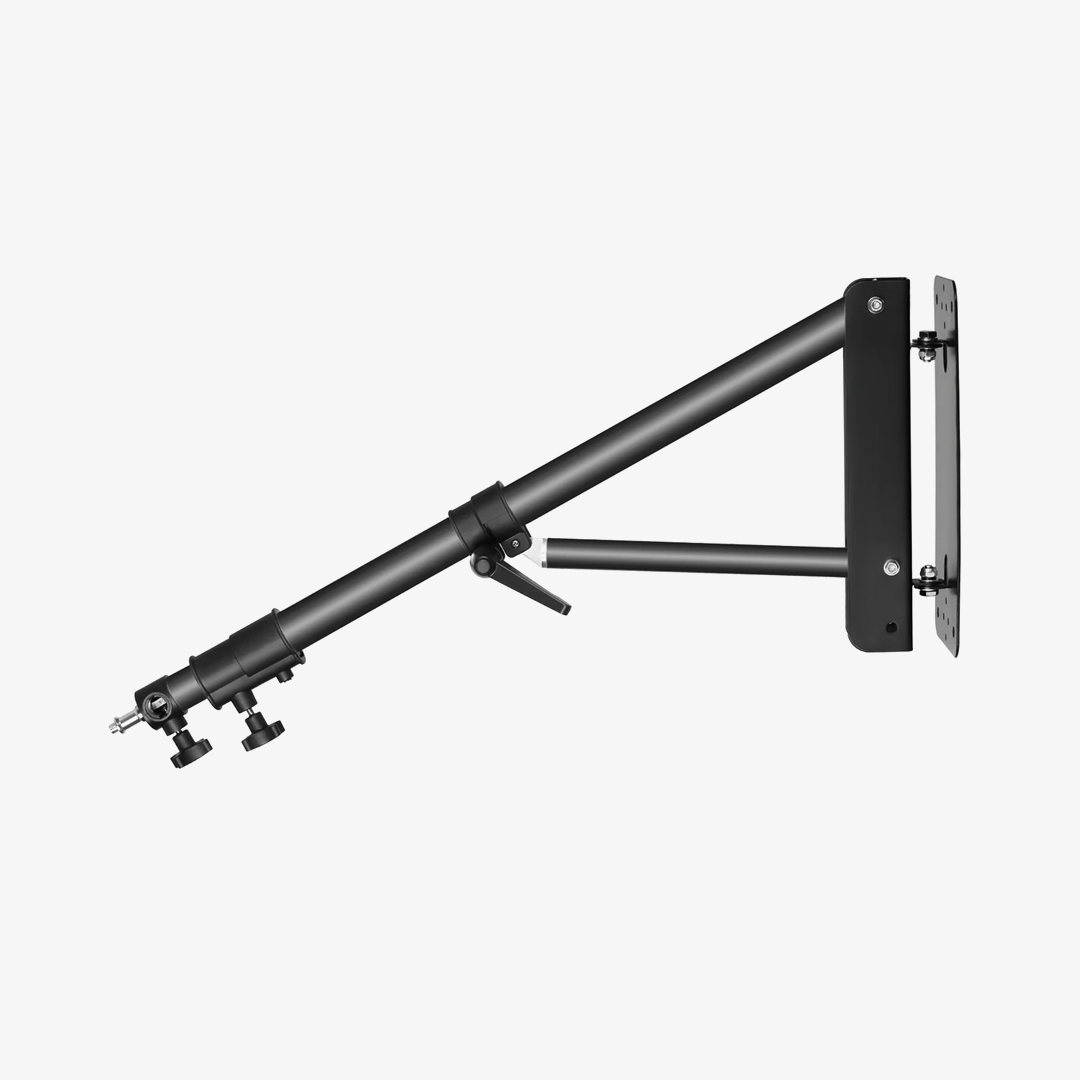
NEEWER 30"/76cm Horizontal Tripod Center Axis

If you already own a compatible tripod, the NEEWER 30"/76cm Horizontal Tripod Arm offers another way to build an overhead setup. Rather than replacing your entire tripod, this extension arm allows you to position equipment farther out from the support point. It can be useful for overhead product photography, home studio recording, and setups where the camera needs to reach across a table.
The arm features three mounting points with 3/8-inch screws, providing options for mounting compatible equipment such as ball heads, external monitors, magic arms, and other accessories. It supports a maximum load of 22 lb (10 kg) according to the product specifications. Keep in mind that this is an extension arm only: a compatible tripod and the necessary mounting hardware are required, and the complete setup must remain properly balanced.
Pros:
· Extends an existing compatible tripod setup without requiring a dedicated overhead tripod
· Multiple mounting points offer flexibility for positioning compatible cameras and accessories
· Adjustable arm supports different horizontal and vertical equipment positions
Key Parameters
|
Parameter |
30"/76cm Horizontal Tripod Center Axis |
|
Arm length |
30" / 76 cm |
|
Maximum load capacity |
22 lb / 10 kg |
|
Material |
Aluminum alloy |
|
Mounting points |
Three 3/8" screws |
|
Weight |
Approx. 2.38 lb / 1.08 kg |
|
Included |
Extension arm and carrying bag |
Note: The extension arm's rated load capacity does not mean every tripod can safely support that load when the arm is extended. Check the compatibility and load limits of the complete setup before use.
How to Set Up an Overhead Tripod Safely
Overhead shooting requires extra attention to stability because the camera may be positioned away from the tripod's center. A few basic precautions can help reduce the risk of the equipment tipping or shifting during recording.
1. Position the tripod on a stable surface. Fully spread and lock the legs, and make sure all feet have secure contact with the ground.
2. Mount the equipment before extending the arm. Secure the camera and compatible head properly, then adjust the column gradually.
3. Check the center of gravity. Make sure the camera's weight is supported within the setup's limits. Add a suitable counterweight if the tripod design allows it.
4. Tighten all locking mechanisms. Check the center column, leg locks, head, and mounting screws before starting to shoot.
5. Keep people and fragile objects clear while adjusting. Avoid placing your face, hands, or valuable items directly under the camera while changing its position.
6. Recheck the setup after adjustments. If you change the camera angle or extend the arm farther, check the balance and stability again.
Never exceed the rated load capacity or assume that a heavy-duty extension arm makes an incompatible tripod safe. The stability of the entire system matters.
FAQs
1. What is the best tripod for overhead shots?
The best tripod depends on your subject, working space, and equipment. A tripod with a horizontal center column is a useful option for tabletop photography and overhead video, while a desk mount or dedicated stand may suit a permanent workspace better.
2. Can I use a regular tripod for overhead photography?
Sometimes. A regular tripod can work if it supports the required camera angle and positioning. However, a tripod with a horizontal center column can make it easier to position the camera over a table without placing the tripod directly in the shooting area.
3. What is a horizontal center column tripod?
It's a tripod with a center column that can extend sideways instead of remaining vertical. This design helps position a camera over a subject for overhead photography, product demonstrations, and tabletop video recording.
4. Are overhead tripods good for product photography?
Yes. They can help capture flat lays, small products, accessories, and other objects arranged on a flat surface. The key is choosing a setup with enough reach and stability to frame the subject safely.
5. How can I keep an overhead tripod stable?
Place the tripod on a stable surface, secure all locks, stay within the load limits, and use a suitable counterweight if the design supports it. Longer horizontal extensions require extra attention to balance, so always check the entire setup before recording.
6. Can I use a horizontal center column tripod for regular photography?
Yes. Many models can return to a vertical center-column position for conventional shooting. Check the specific tripod's adjustment range and locking mechanisms to confirm how it can be configured.







