


Table of Contents
A cozy cafe, a cup of coffee, and a slice of cake can make a great setting for casual portraits. You don't need a professional studio or a complicated setup. With a little attention to lighting, composition, and posing, you can capture natural-looking photos while enjoying an afternoon with friends.
For this shoot, we brought the NEEWER PF2 smartphone flash into a cafe and used it to capture a series of portraits around the same table. From simple poses to different lighting effects, here are some cafe photography tips to help you get more out of your next coffee break.
Find the Right Spot for Cafe Photography
Before taking out your phone, spend a moment looking around the cafe. The right spot can make a big difference to your photos, even when you're working with a simple setup.
Make Use of Window Light
A seat near the window is often a good place to start. Natural light can illuminate your subject while adding a soft, relaxed feel to the scene.
Pay attention to where the light is coming from. Side lighting can add dimension to a portrait, while light coming from the front can create a more even look. If direct sunlight is too strong, try moving slightly away from the window or adjusting your shooting angle to avoid harsh shadows.
Also check what's behind your subject. A clean background helps keep attention on the person rather than distracting details around the cafe.
Use Coffee and Desserts as Props
Coffee cups, cakes, and tableware can all become natural props in cafe photography. Instead of asking your friend to simply sit and look at the camera, give them something to interact with.
A coffee cup in hand or a fork beside a slice of cake can make a portrait feel more relaxed and spontaneous. Just keep an eye on the composition so the props complement the subject rather than taking over the frame.

Try These Simple Cafe Portrait Poses
Not everyone feels comfortable posing in front of a camera. A good way to make cafe portraits feel more natural is to start with small, familiar movements.
Here are three easy cafe photoshoot ideas to try with a friend.
Rest Your Chin on Your Hands
Start with a simple pose: rest both hands under the chin and look toward the camera. It's an easy way to create a relaxed portrait without needing complicated movements.
Try framing the shot so the person's face, desserts on the table, and the window in the background all appear together. This gives the photo more context and captures the atmosphere of the cafe.
Hold a Coffee Cup
Next, pick up the coffee cup and try a different pose. The subject can look toward the camera, glance out the window, or simply bring the cup closer as if taking a sip.
Pay attention to where the cup sits in the frame. A small adjustment in hand position or camera angle can make the composition feel more balanced. You can also try a slightly wider shot to include more of the table and surroundings.
Bring the Dessert into the Frame
For another look, bring a slice of cake closer to the camera. This creates a more playful composition and gives the photo an extra point of interest.
Try shooting from slightly above or at eye level, depending on how much of the dessert and the person's expression you want to show. You can also experiment with a closer crop to highlight the textures and colors of the fruit, cream, and cake.

Enhance Phone Portraits with the NEEWER PF2
Natural window light is a great starting point, but it isn't always consistent. Depending on the time of day and the position of your subject, the face may look too dark or the lighting may feel uneven.
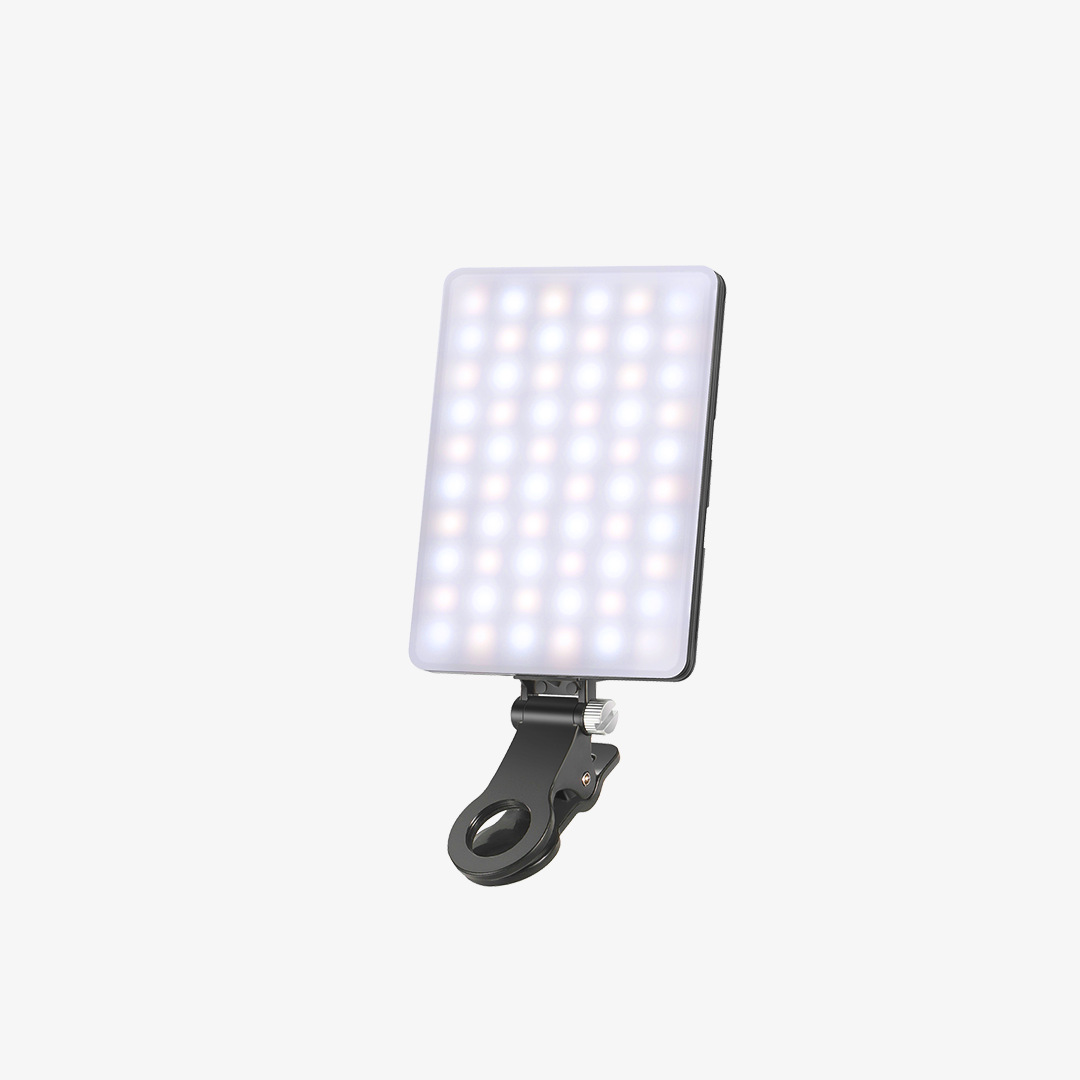
This is where an external smartphone flash can give you another way to work with light. For this cafe shoot, we used the NEEWER PF2 smartphone flash to experiment with flash photography while keeping the setup simple.

1. Attach the PF2 to Your Phone
The NEEWER PF2 features magnetic attachment, allowing it to mount on the back of a compatible phone. Once attached, the flash moves with your phone, making it convenient to change your framing and shooting angle.
This is useful when photographing friends at a cafe, where you may want to move around the table or switch between portrait and closer detail shots without setting up a separate lighting stand.
2. Use TTL for Automatic Flash Exposure
The PF2 supports TTL (Through-The-Lens) automatic flash exposure. In TTL mode, the flash system helps determine the appropriate flash output for the shot, so you don't have to manually set the power for every photo.
This can be useful when you're taking several portraits in changing positions or adjusting your composition during a casual shoot. You can focus more on the subject and the moment while the flash handles automatic exposure adjustment.
3. Adjust Flash Power for Different Lighting Needs
If you prefer more control over the lighting, the PF2 also offers manual flash power adjustment from 1/128 to 1/1.
You can experiment with different power levels based on the ambient light, shooting distance, and the effect you want. A lower power setting may be a good starting point when you only need a subtle flash contribution, while higher output may be useful when more flash light is needed.
The PF2 has a full-power recycle time of 2 seconds, allowing it to recharge between full-power flashes. Actual shooting pace can still depend on flash power and other shooting conditions.

Compare Three Lighting Effects
To see how different light sources affect a portrait, we took three shots by the same cafe window using different lighting setups: no flash, the phone's built-in flash, and the NEEWER PF2 Xenon Phone Flash.
When comparing the photos, pay attention to how each setup affects the subject's facial brightness, shadows, and background. Notice how the lighting changes the overall look of the portrait, even though the location and subject remain the same.
Putting the three shots side by side makes it easier to see the differences and decide which lighting style you prefer for your own cafe portraits.

More Tips for Better Smartphone Cafe Photography
Once you've found a good spot and a few comfortable poses, try these additional tips to make your cafe portraits more interesting.
Watch Your Composition
Avoid placing every subject in the center of the frame. Try leaving some space around the person or using the coffee cup and dessert to add visual balance. Make sure background objects don't appear to overlap awkwardly with the subject.
Try Different Shooting Angles
Don't take every photo from the same seated position. Try shooting at eye level for natural portraits, slightly above the table to include food and drinks, or from the side to capture the window light.
Capture Candid Moments
Some of the best cafe portraits happen between poses. Take a few photos while your friend is picking up a cup, chatting, or enjoying a dessert. These small moments often feel more personal than looking directly at the camera in every shot.
Keep the Background Simple
Cafes can have plenty of visual details, from menus and tableware to other customers. Before taking a photo, check the edges of your frame and move small distractions out of the way when possible.