





Table of Contents
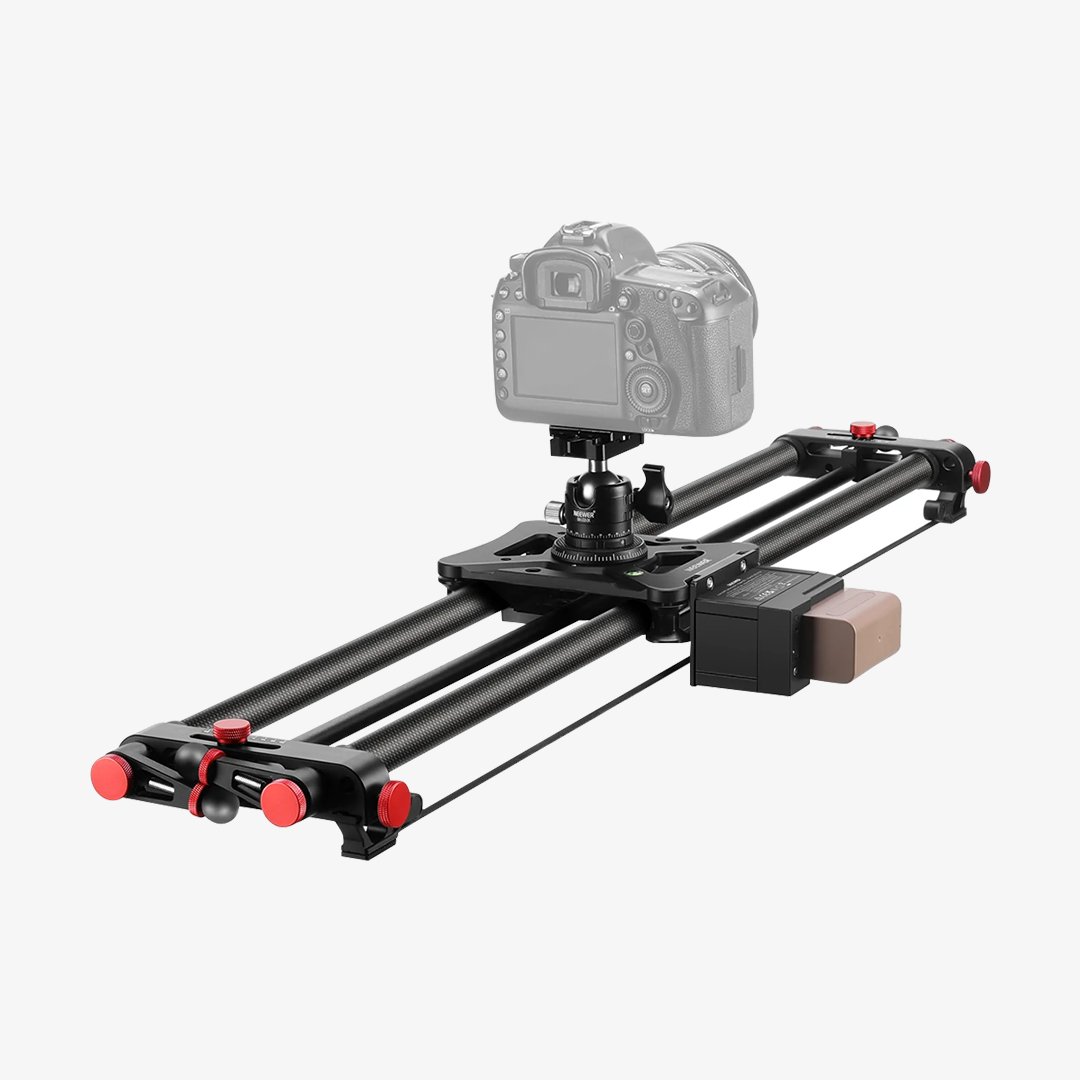
A motorized camera slider can add controlled movement to your shots without requiring you to manually push the camera. Once you set the movement, the motor can handle the camera’s path and speed for you.
That makes a motorized slider useful for more than cinematic video. Product videos, time-lapses, panoramic shots, cinematic reveals, and repeatable content can all benefit from controlled camera movement.
Why Use a Motorized Camera Slider?
A manual slider gives you direct control over the camera, but it can be difficult to maintain the same speed and movement across multiple takes. A motorized slider takes care of that movement, making your shots more consistent and repeatable.
It’s particularly useful when you want slow camera movement, long-duration shots, or hands-free operation. You can set the starting and ending points, adjust the speed, and let the slider move the camera while you focus on lighting, directing, or the subject.
This can make a difference when you’re working alone, too. Instead of trying to control the camera and slider at the same time, you can program the movement before recording and concentrate on getting the rest of the shot right.

What Can You Shoot with a Motorized Camera Slider?
Product videos are one of the most practical uses for a motorized camera slider. A slow camera movement can make a simple product shot more dynamic while keeping the subject clearly in frame.
You can use a slider for:
· Slow push-in shots
· Side-to-side product reveals
· Detail shots
· Product demonstrations
· Commercial and social media videos
For example, a slow push-in can gradually bring attention to a product detail, while a side-to-side movement can show its shape or design from different angles.
The repeatable movement is also useful when you need several takes. Instead of manually trying to recreate the same camera move, you can use the same programmed movement for each shot.
Motorized sliders are also useful for time-lapse photography because the camera can move gradually while capturing a series of frames.
A moving camera can add another layer of motion to a time-lapse instead of leaving the camera in one fixed position. This can work for landscapes, city scenes, studio setups, or even tabletop subjects.
For longer sequences, having the slider control the movement can also make the process easier. You can set the interval, movement, and shooting duration before starting and let the system handle the camera movement.
A slider doesn’t always need to move quickly to make a shot more interesting. Slow, controlled movement can create a cinematic reveal by gradually changing what the viewer sees.
You could start close to a product and slowly reveal the full setup, move past a foreground object to reveal the subject behind it, or gradually pull away to show more of a scene.
Motorized movement is useful for these shots because the speed can be controlled more consistently. If you need to repeat the shot from another angle or use the same movement in several scenes, you can recreate it without relying entirely on manual movement.
A motorized slider can also create more than a simple left-to-right camera movement.
The NEEWER ER1 supports different slider positions for horizontal movement, tracking shots, and 120° panoramic video. It also supports shooting at a 45° tilt, giving you another option for changing the direction of the camera movement.
These options can be useful for product scenes, tabletop setups, landscapes, and other shots where a straight horizontal slide isn’t enough.
Repeatability can be useful for everyday content creation, not just commercial productions.
If you regularly make YouTube videos, tutorials, product demonstrations, or social media content, a programmed camera movement can help keep your shots consistent. You can create a repeatable intro, transition, product reveal, or background movement without manually controlling the slider every time.
This is especially useful for solo creators who need to manage the camera, lighting, and subject at the same time.
What Makes the NEEWER ER1 Different?
The NEEWER ER1 is a motorized carbon fiber camera slider designed around controlled and programmable camera movement. The current US version is available in 31.5”/80cm and 47.2”/120cm options. Both support manual, video, time-lapse, and 120° panoramic shooting.
App and Remote Control
The ER1 can be controlled through the NEEWER app or a 2.4G RT-08 remote. Depending on the shooting mode, you can adjust settings such as movement speed, A/B points, loop movement, video length, and interval.
The A/B point function is particularly useful when you want the camera to move between two specific positions. You can set where the movement starts and ends instead of manually controlling the entire track.
Want to see how the ER1 works in practice? Watch the video below for a quick look at app setup, control modes, and shooting settings.

Different Shooting Angles
The ER1 isn’t limited to horizontal movement. Its adjustable side knobs can be used for different shooting directions, including tracking and 120° panoramic shots. The slider can also be used at a 45° tilt.
The maximum load is 11lb/5kg horizontally and 5.5lb/2.5kg at a 45° tilt, so your camera and lens setup should be checked against the appropriate limit before shooting.

Battery and Outdoor Use
The ER1 comes with a 4400mAh NP-F750 battery and also has a 5V 2A USB-C power input for use with a compatible portable power source. Its carbon fiber construction helps keep the slider suitable for both studio and outdoor setups.
The motor uses a stepper drive designed for quiet camera movement, which can be useful when the slider is being used while recording video.
ER1-80 vs. ER1-120: Which One Do You Need?
The two current US versions mainly differ in track length, so the right choice depends on how much camera movement you need and how much space you have for the setup.
The 31.5”/80cm version is a practical option when you have limited shooting space or need to transport the slider frequently.
It can work well for tabletop product videos, home studios, smaller sets, and other situations where a shorter camera movement is enough.
ER1-120 — For Longer Camera Movement
The 47.2”/120cm version provides more travel distance, which can be useful for longer camera moves, larger product setups, and scenes where you want more space between the starting and ending positions.
It has the same 11lb/5kg horizontal load capacity as the 80cm version, while its wireless control range is rated up to 32.8ft/10m, compared with 26.2ft/8m for the 80cm version.
If most of your shots are relatively short, the 80cm version may be enough. If you regularly need longer camera movement, the 120cm version gives you more room to work with.

Motorized Camera Slider vs. Gimbal
A motorized slider and a gimbal can both add movement to video, but they are suited to different shooting styles.
A slider keeps the camera on a controlled path, making it useful for slow, repeatable movements and shots that need consistent framing. A gimbal gives you more freedom to move around a subject, follow action, and change direction while filming.
For example, a product reveal that needs the exact same movement in several takes is well suited to a slider. A walking shot that follows a person through a location is generally better suited to a gimbal.
If you’re deciding between the two, see our guide to [camera slider vs. gimbal] for a more detailed comparison.
What to Consider Before Using a Motorized Camera Slider
Before setting up a motorized slider, consider a few practical factors.
Camera and lens weight: Check the total weight of your camera, lens, and accessories against the slider’s load capacity. The ER1 supports up to 11lb/5kg horizontally and 5.5lb/2.5kg at a 45° tilt.
Available space: A longer slider gives you more camera travel but also needs more room. Make sure the full movement path fits comfortably in your shooting area.
Movement speed: Slow movement works well for product videos, cinematic reveals, and detailed shots, while faster movement can be useful for more dynamic content.
Power: For longer shoots and time-lapses, consider how long the battery needs to last and whether you have access to a USB-C power source.
Support: A stable support system is important, especially when using a heavier camera or shooting at an angle. The ER1 has 1/4” and 3/8” threaded mounting holes for tripod setups.
FAQs
1. What can you shoot with a motorized camera slider?
You can use a motorized slider for product videos, cinematic reveals, time-lapses, panoramic shots, tutorials, social media content, and other shots that benefit from controlled camera movement.
2. Can a motorized camera slider be used for time-lapse?
Yes. A motorized slider can move the camera gradually while it captures frames at set intervals. The ER1 includes a dedicated time-lapse mode with customizable shooting settings.
3. Can the NEEWER ER1 be controlled with a phone?
Yes. The ER1 supports control through the NEEWER app and can also be controlled with a compatible 2.4G RT-08 remote.
4. Can the ER1 shoot at an angle?
Yes. The ER1 supports 45° tilt shooting. However, the maximum load at this angle is 5.5lb/2.5kg, compared with 11lb/5kg when used horizontally.
5. What Can You Use Instead of a Camera Slider?
Common alternatives include gimbal and camera slider dolly, depending on the type of movement you need. Gimbals are useful for handheld and follow shots, while dollies can provide larger or multidirectional camera movements. A motorized slider is more suited to controlled, repeatable movements along a fixed path.







