


Table of Contents
With GTA 6 bringing Vice City back into the spotlight, it's a great time to rethink your gaming space. From neon-lit streets and colorful city lights to immersive nighttime scenes, the game's visual style offers plenty of inspiration for creating a more atmospheric setup.
The right gaming setup lights can do more than add color to your room. They can highlight your desk, create ambient lighting around your screen, and make your gaming space feel more immersive. Whether you're building a GTA 6-inspired setup, upgrading your console gaming area, or putting together a streaming background, here are some lighting ideas and LED lights worth considering.
Why Add LED Lights to Your Gaming Setup?
Lighting plays a bigger role in a gaming room than you might think. A few well-placed lights can change the look and feel of your entire setup without requiring a complete room makeover.
Create a More Immersive Gaming Atmosphere
Ambient lighting can help bring the atmosphere of a game into your room. For example, RGB lighting in shades of blue, purple, and pink can create a neon-inspired look reminiscent of Vice City. For other games, you can experiment with cooler tones for futuristic environments or warmer colors for a more relaxed atmosphere.
Placing lights around your monitor, behind your desk, or in the corners of your room can also add depth to your setup and make the gaming environment feel more engaging.
Personalize Your Gaming Space
Your gaming setup doesn't have to follow one particular aesthetic. Some players prefer a clean, minimalist look with subtle accent lighting, while others enjoy colorful RGB effects that make their desks stand out.
LED strips, light bars, and floor lamps give you different ways to customize your space. With adjustable colors, brightness, and lighting effects, it's easy to switch between everyday lighting and a more vibrant gaming atmosphere.
Improve Your Streaming and Recording Setup
If you stream gameplay or record gaming content, lighting also affects how you look on camera. RGB lights can add visual interest to your background, but they aren't always enough to illuminate your face.
A dedicated key light can provide soft, balanced illumination, helping you look clearer on camera while keeping your background lighting separate. This combination makes your streaming setup look more polished without sacrificing the atmosphere of your gaming room.
Best Types of LED Lights for a Gaming Setup
Different lights serve different purposes. Rather than relying on one RGB light to do everything, combining a few types of lighting can create a more balanced gaming setup.
1. Streaming Key Lights for Face Lighting
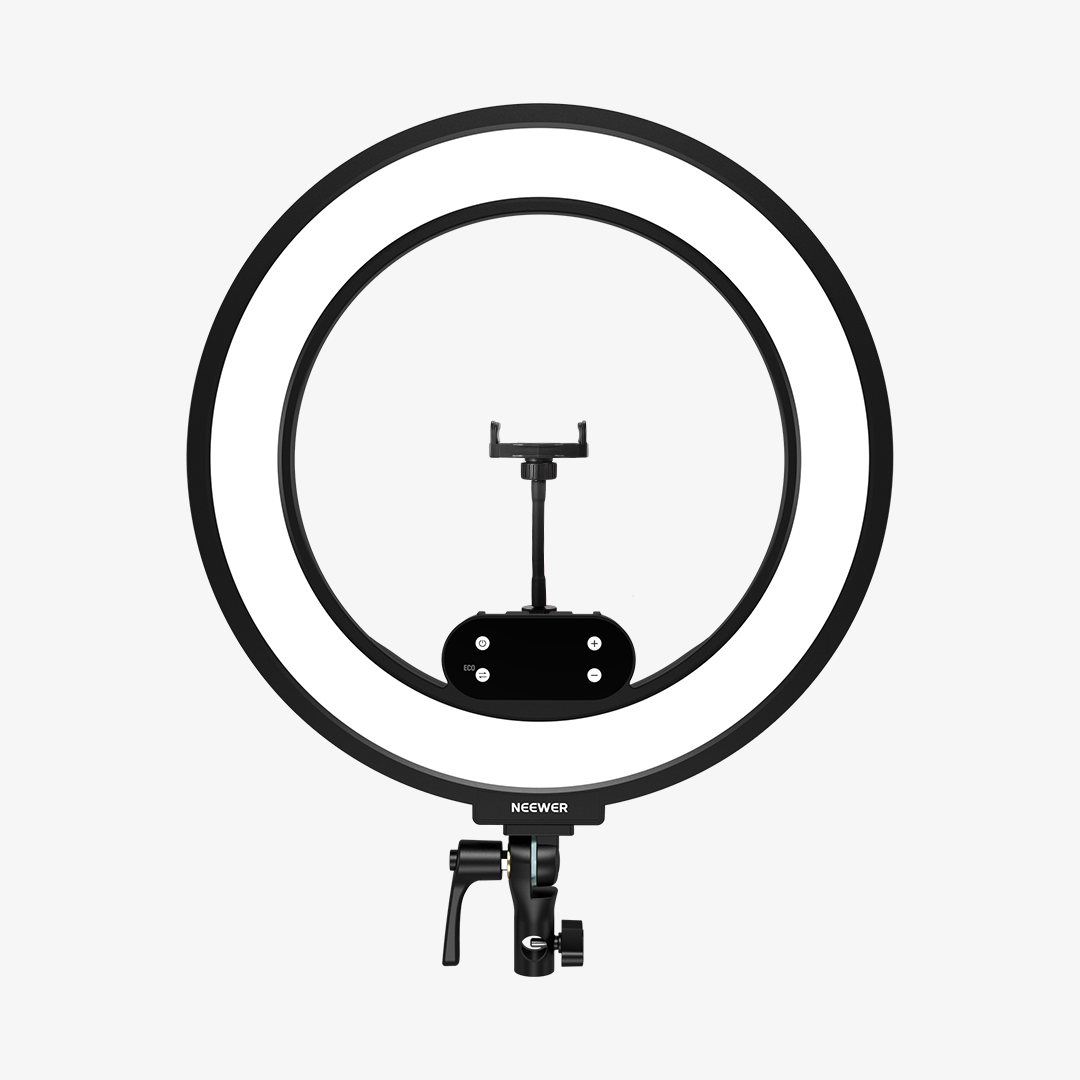
If you regularly stream or record gameplay, a dedicated key light is worth adding to your setup. RGB lighting can make your background look great, but a separate light source helps illuminate your face more evenly and keeps you visible on camera.

The NEEWER GL1 Pro 15.5" Key Light is designed for this purpose. Its side-emitting technology produces soft, balanced light that helps reduce harsh shadows and create more natural-looking skin tones. You can adjust brightness from 0–100% and color temperature from 2900K to 7000K to match your room lighting or preferred on-camera look.
Another useful feature is its flexible control options. You can adjust the light through the NEEWER app, connect it to a PC or Mac using a 2.4G USB dongle, or use Bluetooth with your phone. It also supports Elgato Stream Deck, so you can change brightness or color temperature without interrupting your game or stream. Its fanless design keeps operation quiet, which is especially helpful when recording audio.
Key Features:
- Soft, Adjustable Lighting: 0–100% brightness and 2900K–7000K color temperature make it easy to fine-tune your face lighting.
- Multiple Control Options: Supports 2.4G USB, Wi-Fi, Bluetooth, and Elgato Stream Deck control.
- Quiet Operation: Fanless design helps keep your streaming or recording environment free from distracting fan noise.
2. RGB Light Bars for Ambient Lighting
Light bars are an easy way to add color around your gaming screen. Place them on either side of a monitor or TV to create a more immersive viewing environment without taking up much desk space.

The NEEWER NF16 RGB Smart Light Bars are a good option for adding dynamic ambient lighting to a gaming setup. Their RGB IC LEDs support independently controlled color sections, allowing you to create gradient, flowing, chasing, and other lighting effects. You can use cool or warm white lighting when you want a more understated look, then switch to colorful effects when gaming.
The NF16 also features music sync, allowing the lights to respond to game audio and music in real time. With the NEEWER Home app, you can choose from preset scenes, customize your own effects, and explore AI-generated lighting. This makes it easy to switch between a neon-inspired gaming atmosphere and more subtle lighting for everyday use.
Key Features:
- Segmented RGB Effects: Independently controlled LED sections create colorful gradients, flowing effects, and more.
- Music Sync: Built-in microphone detects audio and makes the lighting respond to music and game sounds.
- Smart App Control: Customize colors, brightness, scenes, and AI-generated lighting through the NEEWER Home app.
3. RGB LED Strip Lights for Desk Lighting
LED strip lights are one of the most flexible ways to customize a gaming desk. You can install them along the back of your desk, around its edges, or on nearby walls to create a subtle glow that adds depth to the space.

The NEEWER NS02 RGB LED Strip Light features a flexible silicone design that makes it easier to install along corners, edges, and other curved surfaces. Its side-emitting LEDs produce a continuous line of colorful light, making it a practical choice for highlighting the outline of your desk or adding accent lighting behind your monitor.
What makes the NS02 especially useful for gaming setups is its RGB IC technology. With multiple independently controlled sections, you can create flowing color transitions and dynamic effects instead of displaying just one solid color. It also supports music sync, preset scenes, and AI-generated lighting through the NEEWER Home app, giving you plenty of room to experiment with different looks.
Key Features:
- Flexible Silicone Design: Easy to bend and install along desk edges, corners, and walls.
- RGB IC Segmented Control: Customize different sections with multiple colors and dynamic lighting transitions.
- Music Sync and AI Lighting: Match lighting effects to game audio or create custom effects through the app.
4. RGB Floor Lamps for Room Ambient Lighting
If you want to take your gaming setup beyond the desk, a corner floor lamp can help bring the entire room together. Instead of focusing light on one small area, it adds ambient illumination to the surrounding space.

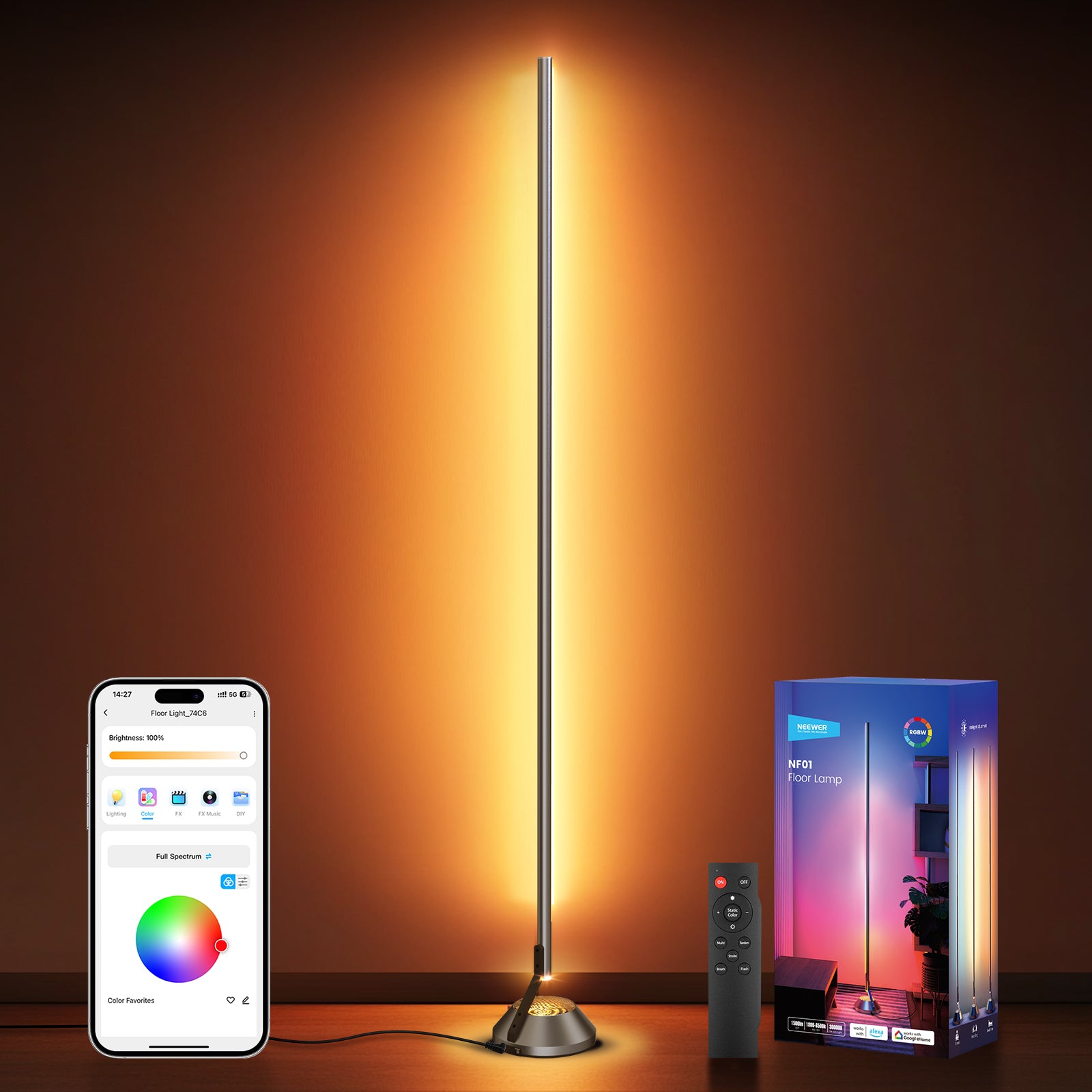
The NEEWER NF01 RGBW Floor Lamp is designed to fit neatly into room corners or beside a desk, sofa, or TV. Its 180° beam angle spreads light across a wider area, while the 1500-lumen output provides enough brightness to illuminate a gaming room. You can choose from 16 million colors, adjust the color temperature from 1800K to 6500K, and dim the light to suit different situations.
For a GTA 6-inspired room, try placing the lamp in a corner and using pink, purple, or blue tones to create a neon-style glow across the wall. When you want a different atmosphere, switch to preset scenes or use music sync to make the lighting respond to game sounds. The lamp also supports app, remote, and voice control, so you can adjust the atmosphere without having to reach for the lamp.
Key Features:
- Wide-Angle Room Lighting: 1500lm output and a 180° beam angle help illuminate larger areas of your gaming room.
- Customizable RGBW Lighting: Choose from 16 million colors, adjustable white light, and dimming options.
- Smart Controls and Music Sync: Adjust lighting through the app, remote, or voice commands, and sync effects with music or game audio.
How to Create a GTA 6-Inspired Gaming Setup
GTA 6's Vice City setting is known for its vibrant colors, neon signs, and nighttime city atmosphere. You don't need to recreate the entire game environment to capture that look. A few thoughtful lighting choices can bring similar visual elements into your gaming space.
Try a Neon-Inspired Color Scheme
Pink, purple, and electric blue are great starting points for a Vice City-inspired setup. These colors work especially well together when used at different brightness levels.
For example, use purple or blue as the main ambient color and add pink accents around your desk or monitor. You can also experiment with gradients and color transitions to create a more dynamic look instead of keeping every light on the same color.
Add Ambient Lighting Around Your Screen
Your monitor or TV is a natural focal point in a gaming setup. Adding RGB light bars on either side can make the screen area feel more immersive while giving your desk a more finished appearance.
For a GTA 6-inspired look, try combining blue and pink lighting effects. If you prefer a more subtle setup, use a single color or a soft gradient that complements your screen without becoming distracting.
Highlight Your Desk with RGB LED Strips
A strip light placed behind your desk or along its edges can make the entire setup stand out. The indirect glow also helps create a sense of depth, especially when your desk is positioned against a wall.
Try using a different color from your screen lighting to create contrast. For example, a purple glow behind the desk paired with blue light bars can add more dimension without making the setup look overly busy.
Balance RGB Lighting with Practical Lighting
A colorful gaming room looks great, but RGB effects shouldn't replace all your practical lighting. If you spend long hours gaming, streaming, or working at your desk, having a comfortable level of ambient light and proper task lighting is important.
Use a dedicated key light when you need clear face lighting for streaming, and keep RGB lights at a comfortable brightness. This way, your setup can look atmospheric while still being functional for everyday use.
Tips for Setting Up LED Lights in Your Gaming Space
A few small adjustments can make a big difference in how your gaming lights look and feel.
- Avoid Excessive Brightness: RGB lights don't need to be at full brightness to create an impact. Lower brightness can produce a more comfortable atmosphere, especially during nighttime gaming.
- Balance Ambient and Task Lighting: Use ambient lights for atmosphere and dedicated lighting when you need to see clearly or appear on camera.
- Position Lights to Avoid Screen Glare: Avoid placing bright light sources where they reflect directly onto your monitor or TV. Indirect lighting behind or beside the screen is often a better option.
- Experiment with Colors and Effects: Try different color combinations and lighting scenes to find a look that suits your games and personal style. You don't have to use the same settings all the time.
FAQs
What Are the Best LED Lights for a Gaming Setup?
The best LED lights depend on what you want to achieve. RGB light bars work well for ambient lighting around a monitor or TV, LED strips are great for adding color along desk edges and walls, and floor lamps can illuminate a larger area. If you stream or record gameplay, a dedicated key light is also useful for face lighting.
Where Should I Put LED Lights in a Gaming Setup?
Popular locations include behind your monitor, along the back or edges of your desk, beside your TV, and in the corners of your room. Placing lights behind or around your screen can create a more immersive atmosphere, while LED strips along desk edges help highlight your setup.
What Color LED Lights Are Best for Gaming?
There isn't one best color for every gaming setup. Blue and purple create a cool, futuristic atmosphere, while pink and cyan work well for neon-inspired looks like Vice City. Warm white is a good choice when you want a more relaxed environment. You can also use RGB lights to switch between different colors depending on the game or mood.
Are LED Light Bars Good for Gaming Setups?
Yes. LED light bars are a convenient way to add ambient lighting around a monitor or TV without taking up much desk space. Many models offer adjustable colors and dynamic effects, allowing you to customize the atmosphere to match your games.