

Table of Contents
Clear audio is essential for interviews, vlogs, podcasts, livestreams, and other video projects. A wireless lavalier microphone lets you capture voices without being tied to your recording device by a cable, giving you more freedom to move and record.
The NEEWER CM22 Wireless Lavalier Microphone System is designed for creators who need a portable audio solution for one- or two-person recording. With two microphones, DSP noise reduction, multiple recording modes, and a portable charging case, it offers a range of features for different recording situations. Here's a closer look at what the CM22 offers and how to get the most out of it.
NEEWER CM22 Wireless Lavalier Microphone Features
1. Versatile 2.4G Lavalier Microphone System
Introducing the CM22 Wireless Microphone System, a revolutionary audio solution designed for versatility and excellence in sound transmission. This system comes equipped with two microphones, two transmitters, and one receiver, all powered by advanced 2.4G adaptive frequency hopping technology. This innovative technology ensures stable transmission with low latency, making it compatible with a wide range of devices, including DSLR cameras, iPhones, Android phones, laptops, and PCs. The plug-and-play setup allows users to connect the receiver and start recording immediately, making it an ideal choice for various applications.

2. High-Performance DSP Noise Reduction
Experience crystal-clear audio with the CM22's high-performance Digital Signal Processing (DSP) noise reduction. This collar microphone delivers exceptional 48kHz 16-bit sound without audible noise, setting a new standard for audio quality. The industry-leading DSP sound and noise processing technique enhance the microphone's performance, making it suitable for a variety of applications, such as interviews, online tutoring, voice recording, podcasts, vlogging, YouTube, and live streaming. With a remarkable 150m transmission distance tested in a lab environment, the CM22 ensures interference-free communication.

3. Nonstop Operation with Portable Charging Case
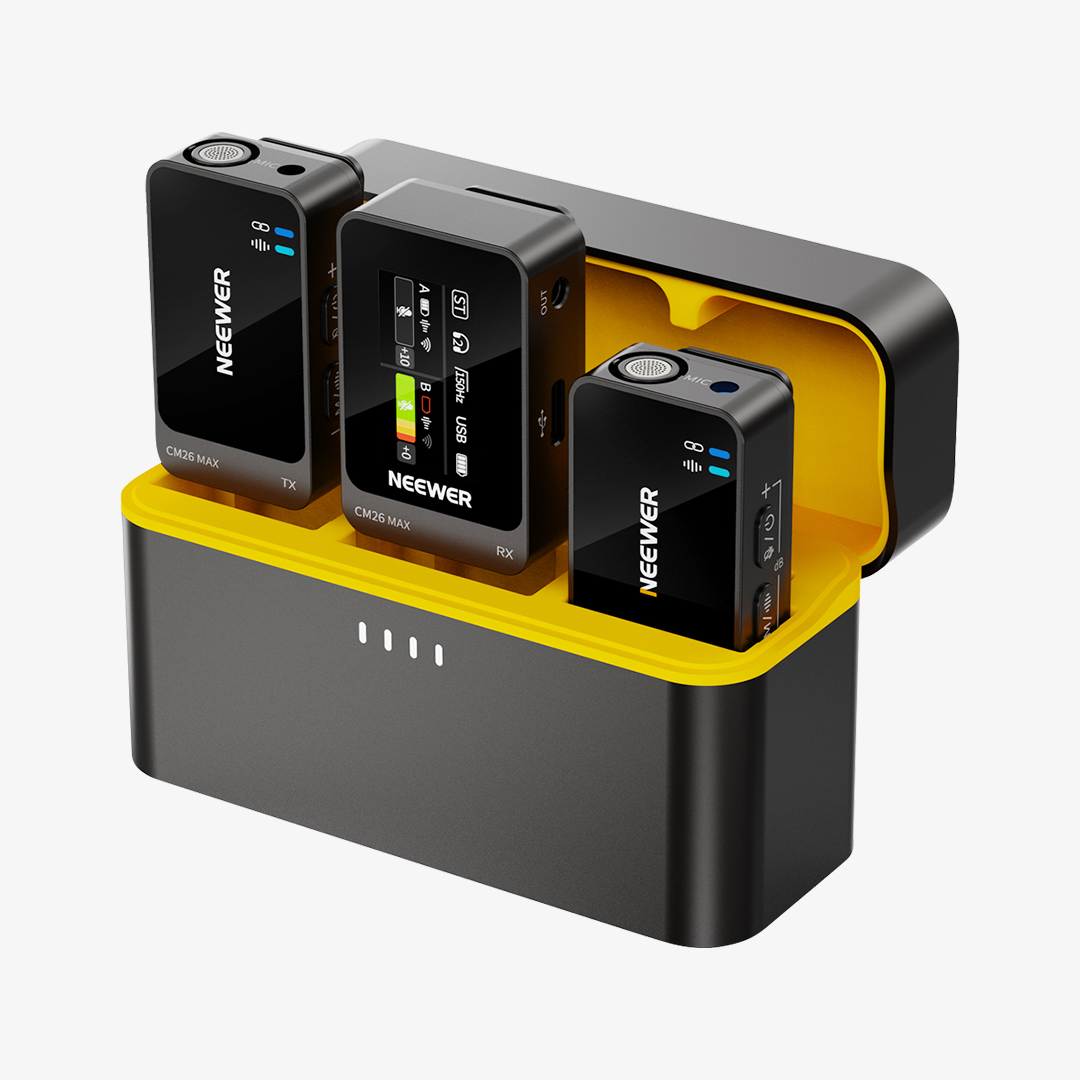
The CM22 takes convenience to the next level with its stylish portable charging case. This case not only stores the microphones but also serves as a charging station. In just 2 hours, the case can fully charge both transmitters (TX) and the receiver (RX) simultaneously. With its large capacity, the charging case can charge the entire set twice, ensuring nonstop operation for up to 7 hours. Considering the charging case, the CM22 Wireless Microphone System supports an impressive 20 hours of continuous operation, making it the perfect companion for extended recording sessions.

4. Real-Time Sound Monitoring & Multiple Mic Modes
Stay in control of your audio with the CM22's real-time sound monitoring feature. Connect the receiver to your headphones and listen to what's being recorded in real time, ensuring optimal sound output. The microphone offers multiple modes to cater to different recording scenarios, including Normal mode, DSP Noise Reduction mode, Low Cut mode, and KTV mode. This flexibility allows users to adapt the microphone to their specific recording needs, delivering professional-grade results.

5. Easy Operation with LCD Display
Navigating the CM22 Wireless Microphone System is a breeze with its user-friendly LCD display on the receiver. The display provides clear information about microphone and transmitter settings, including volume levels, battery life, and current recording mode. This feature empowers users with full knowledge about the microphone's recording progress, ensuring easy control and customization. The intuitive design enhances the overall user experience, making the CM22 an accessible yet sophisticated audio solution.

How to Use a Wireless Lavalier Microphone
Getting good results from a wireless lavalier microphone involves more than connecting it to a recording device. Proper setup, microphone placement, and a quick audio check can all help you capture clearer voice recordings.
1. Connect the receiver to your recording device.
Connect the receiver to a compatible camera, smartphone, laptop, or other recording device using the appropriate connection. Check your device's input requirements and the CM22's included connectors before recording, as connection methods may vary by device.
2. Position the microphone correctly.
Clip the microphone securely near the speaker's upper chest, leaving enough space to avoid rubbing against clothing. Keep it clear of necklaces, loose fabric, and other objects that could create unwanted noise. For interviews or two-person recordings, position each microphone consistently so both voices can be captured clearly.
3. Choose the appropriate recording mode.
Select the mode that best suits your environment. Normal mode can be a starting point for relatively quiet settings, while DSP Noise Reduction may be useful when there's unwanted background noise. Try the available modes before an important shoot to see which produces the most natural voice quality.
4. Check the audio before filming.
Record a short test and listen back through headphones or your recording device. Check that the voice is clear, the volume is suitable, and there is no obvious distortion or clothing noise. If you're using real-time monitoring, listen while making small adjustments to microphone placement and volume.
5. Keep an eye on battery life.
Check the battery information on the receiver's LCD display before a long recording session. Bring the charging case when filming away from a power source, and allow enough time to recharge the system between shoots.
These simple checks can help you avoid common recording problems and spend less time fixing audio in post-production.
What Can You Use the NEEWER CM22 For?
A wireless lavalier microphone is useful whenever you want to record speech while keeping your hands and movement relatively unrestricted. With two microphones in the set, the CM22 can also suit content involving two speakers.
-
Interviews and two-person conversations: Give each speaker a microphone to capture both voices during interviews, discussions, or on-location conversations.
-
Vlogging and travel videos: A wireless setup gives you more freedom to move around while speaking to the camera, whether you're filming indoors or outdoors.
-
Podcasts and talking-head videos: Use the microphones to record spoken content for video podcasts, tutorials, and YouTube videos.
-
Online teaching and presentations: A lavalier microphone can keep the speaker's voice closer to the microphone while they move or demonstrate something on camera.
-
Livestreaming and social media content: Wireless audio can help simplify a recording setup for live content, product demonstrations, and short-form videos.
The best results still depend on the recording environment, microphone placement, and the input supported by your device. For important shoots, test the complete setup before recording.
Is the NEEWER CM22 Right for You?
The NEEWER CM22 Wireless Lavalier Microphone System is worth considering if you want a portable wireless lavalier microphone for interviews, vlogging, and other voice-focused content. Its two-microphone setup is useful for recording two people, while DSP noise reduction, multiple recording modes, real-time monitoring, and an LCD display offer more control over the recording process.
The charging case is another practical benefit for creators who record frequently or work away from a power outlet. Before choosing a wireless microphone, however, consider how many people you need to record, which devices you use, how long your sessions usually last, and whether you need to monitor audio while recording.
If these features match your workflow, the CM22 can be a convenient addition to your video and audio setup.