









Table of Contents
Reading from a teleprompter can make it easier to stay on script while keeping your eyes near the camera. But with traditional auto-scrolling, the script moves at a set speed, which can make it difficult to keep up when you speak faster, pause, or go back to a line.
A voice-activated teleprompter takes a different approach. Instead of relying on a fixed scrolling speed, it can use your voice to track your progress through the script. This type of voice-following teleprompter can make reading feel more natural, especially when recording videos, livestreams, tutorials, or presentations.
What Is a Voice-Activated Teleprompter?
A voice-activated teleprompter is a teleprompter that uses voice input to control how the script moves. Rather than manually scrolling or setting a fixed speed, the teleprompter follows along as you speak.
This is also sometimes described as voice following or voice tracking. The basic idea is simple: the system recognizes what you are saying, matches it with the script, and moves the text forward as you continue speaking.
For creators who don’t always speak at the same pace, this can be more convenient than traditional auto-scroll. You can pause between sentences, speed up, or slow down without constantly adjusting the scrolling speed yourself.

How Does Voice Tracking Work?
Voice tracking combines speech recognition with script matching. Once the feature is turned on, the teleprompter listens to your speech and compares it with the text on the screen.
The process generally works like this:
Speak → Recognize Your Voice → Match Your Words to the Script → Follow Along
When your spoken words match the script, the text moves forward automatically. If you pause, the script can pause with you instead of continuing to scroll at a preset speed.
This makes AI teleprompters with voice tracking different from simple auto-scroll systems. Instead of only controlling how fast the text moves, voice tracking responds to what you are actually saying.
Voice-Activated Teleprompter vs. Traditional Auto-Scroll
Traditional teleprompters usually rely on a preset scrolling speed. This works well when you can maintain a consistent speaking pace, but it can become less convenient when your delivery changes.
|
Feature |
Traditional Auto-Scroll |
Voice Tracking |
|
Script movement |
Fixed scrolling speed |
Follows your speech |
|
Speaking pace |
Best with a consistent pace |
Can adjust to your pace |
|
Pausing |
Script may keep moving |
Can pause with your speech |
|
Manual adjustment |
Often needed |
Less manual control needed |
|
Best for |
Simple, consistent scripts |
More natural, flexible delivery |
Voice tracking doesn’t replace the need to rehearse, but it can make the teleprompter less noticeable while you are speaking. Instead of trying to match your delivery to the scrolling speed, you can focus more on what you are saying.

How to Use Voice Following with a Teleprompter App
Voice-following features are often built into a teleprompter app, which handles the script and voice tracking while the teleprompter displays the text.
With the NEEWER Teleprompter App, the process is straightforward. Add or import your script, enable AI Follow Along, and start speaking. The feature tracks your speech and moves through the script as you talk.
This can be useful when recording longer scripts where manually controlling the scroll would otherwise interrupt your delivery.
What Is NEEWER AI Follow Along?
AI Follow Along is a voice-following feature available through the NEEWER Teleprompter App. It is designed to track your speech and automatically move the script along with your delivery.
Unlike fixed-speed scrolling, you don’t need to set the exact scrolling speed before recording. The script follows your speech, so it can stay in sync when you naturally pause, slow down, or speed up.
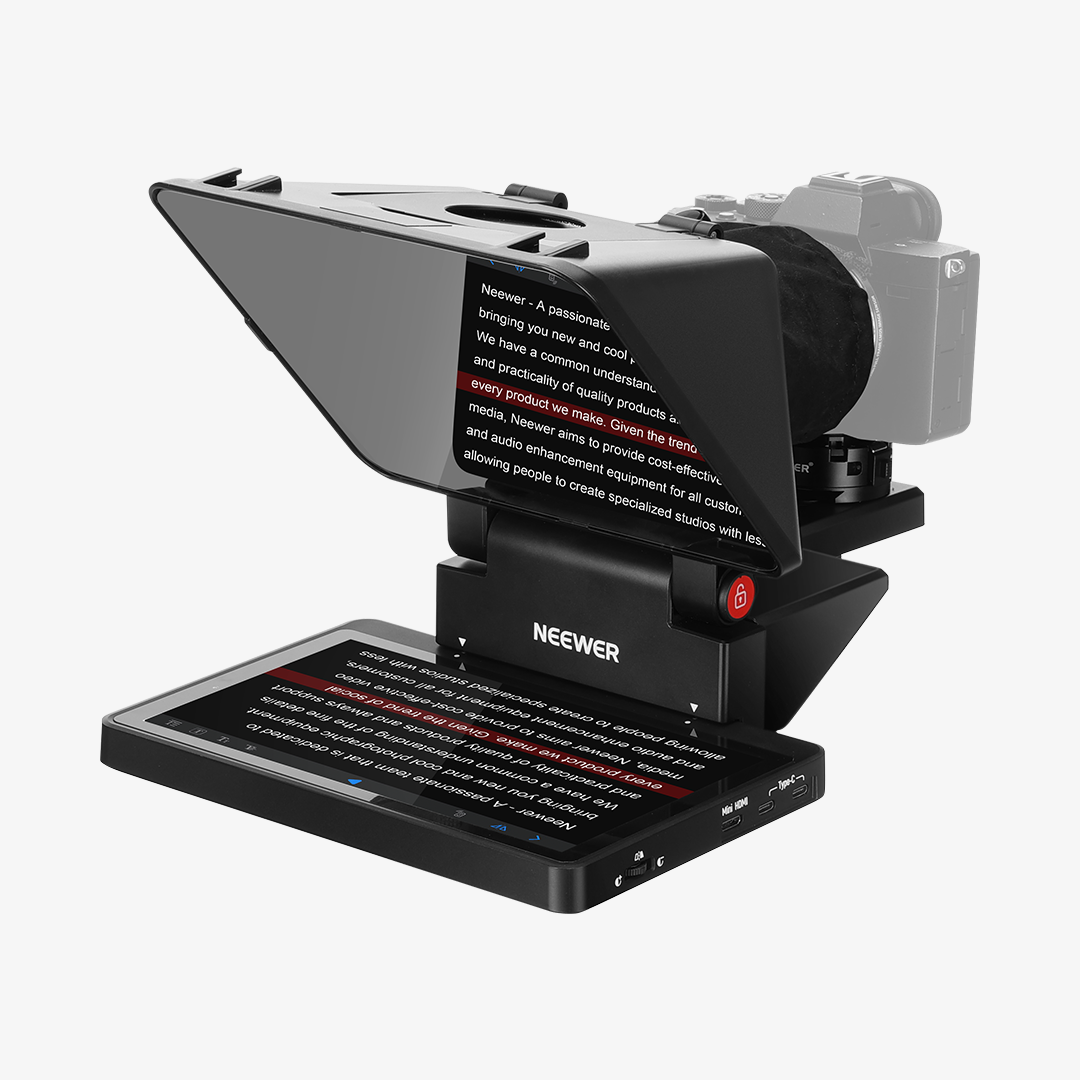
For creators using the NEEWER X11, this provides another way to read scripts while keeping attention on the camera rather than on manually controlling the teleprompter.

When Should You Use a Voice-Following Teleprompter?
Voice tracking can be especially useful when the script is longer or when your speaking pace changes throughout a recording.
Some common use cases include:
· YouTube videos: Follow talking points without constantly looking away from the camera.
· Tutorials: Explain steps naturally while keeping the full script available.
· Livestreams: Keep track of prepared talking points while maintaining a more conversational delivery.
· Presentations: Follow a prepared script without having to manually control the scrolling speed.
· Talking-head videos: Stay on script while keeping your focus close to the lens.
Tips for Using a Voice-Activated Teleprompter
Even with voice tracking, a few simple adjustments can make the experience smoother.
Speak naturally. There is no need to change your normal speaking pace just to match the script.
Keep your script close to your actual wording. Voice tracking works best when what you say closely matches the text on screen.
Use shorter paragraphs. Breaking a long script into smaller sections makes it easier to follow and edit.
Do a quick test before recording. Check that the app recognizes your voice and that the script is moving as expected before starting a full take.

FAQs
1. Is a voice-activated teleprompter the same as an AI teleprompter?
Not necessarily. Voice activation or voice tracking refers to how the teleprompter follows your speech, while AI teleprompter is a broader term that can include AI-powered features such as voice tracking, script assistance, or other smart functions.
2. Does a voice-following teleprompter work with a teleprompter app?
Many voice-following systems use a teleprompter app to manage scripts and process voice tracking. The specific features and compatibility depend on the teleprompter and app.
3. Can a voice-tracking teleprompter pause when I stop speaking?
A voice-following system is designed to track your speech rather than simply scroll at a fixed speed, so it can better handle natural pauses in your delivery.
4. Is voice tracking better than automatic scrolling?
It depends on how you record. Automatic scrolling can work well for short, consistent scripts, while voice tracking can be more convenient when your speaking pace changes or you pause frequently.
5. Can I use AI Follow Along on the NEEWER X11?
Yes. The NEEWER X11 can be used with the NEEWER Teleprompter App and its AI Follow Along feature to follow your speech as you read your script.







