





Table of Contents
In this guide, we’ll break down the best NEEWER teleprompters for 2026—focusing on how they actually fit into real workflows, from livestreaming and Zoom meetings to mobile content creation.
Use a Teleprompter as a Second Monitor for Live Streaming and Zoom Meetings
One of the biggest challenges in livestreaming or online meetings is eye contact. If your chat window or notes are off to the side, your eyes constantly drift away from the camera. Viewers notice—and it breaks engagement.
A teleprompter that works as a second monitor solves this directly.
You can:
- Move your YouTube chat directly in front of the lens
- Keep Zoom notes aligned with your camera
- Read prompts without looking away
In practice, this makes your delivery feel more natural and connected. And if you stream or present regularly, that difference adds up quickly. This is exactly where integrated-display models like the Neewer X11 stand out.
Comparison Table of the Best Teleprompters
|
Model |
Beamsplitter |
Light Transmittance |
Reading Range |
Workflow Highlight |
Best For |
|
NEEWER X11 2-In-1 |
11 inch |
75% |
Up to 2.5m |
Built-in LCD + PC second monitor + phone mirroring |
Livestream, meetings, multi-use desk setup |
|
NEEWER X17 II |
17 inch |
71% |
Up to 4m |
Large-screen reading + studio workflow |
Fixed studio livestream and long scripts |
|
NEEWER X14 |
14 inch |
75% |
Around 3m |
Foldable, no-assembly |
Outdoor and travel creator workflows |
|
NEEWER X12 |
Classic teleprompter glass |
75% |
Typical desk/interview distance |
Entry-friendly app + remote workflow |
New creators and daily classroom/tutorial use |
Best Teleprompters in 2026
1. NEEWER X11 2-In-1: Best All-in-One Workflow Teleprompter

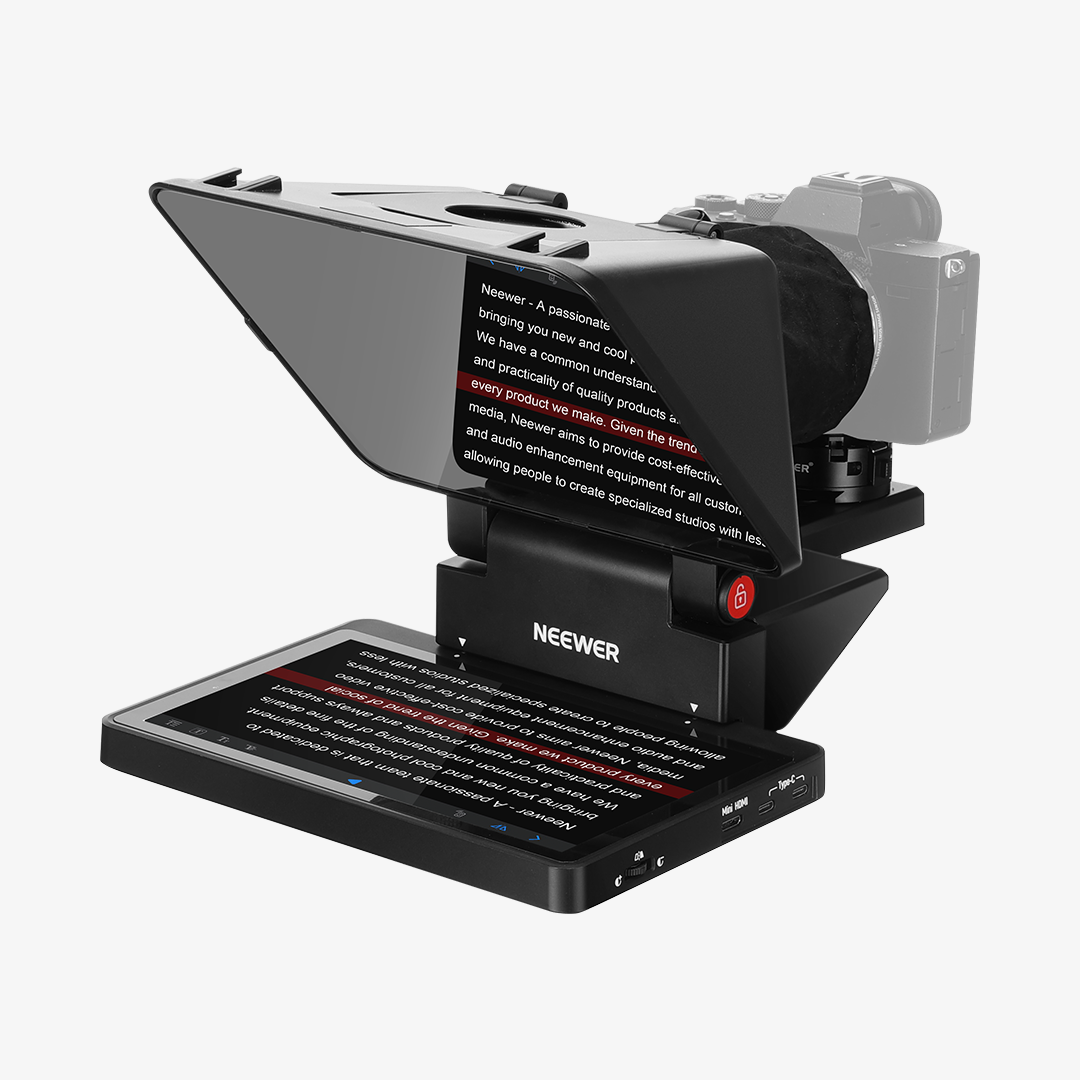
The Neewer X11 is one of the most practical options if you're looking for a teleprompter for live streaming that keeps your chat, script, and eye-line aligned. Its core advantage is total integration: the teleprompter features a built-in LCD, so you do not need to mount a separate tablet for every session. In computer-based setups, it can function as a second monitor for Windows or macOS, allowing you to move chat, notes, or prompts closer to the lens and maintain natural eye contact. For example, you can place your livestream chat or Zoom notes directly on the teleprompter screen while recording, so you never have to glance off-camera. In phone-first setups, direct cable mirroring keeps the process fast.
In practice, this means fewer setup steps, fewer failure points, and a smoother on-camera rhythm. For livestream sellers, it helps keep interaction and eye contact aligned. For office professionals, it improves meeting presence by keeping speaking notes near the lens. For creators publishing frequently, it saves time across repeated sessions.
The Breakdown
- Integrated display workflow: Built-in 9" LCD (1024x768) reduces external device reliance.
- PC interaction hub: Functions as a second monitor for Windows/macOS—perfect for viewing Twitch chat or Zoom participants near the lens.
- Plug-and-play mirroring: Direct cable mirroring from your phone/tablet for a fast workflow.
- Optical clarity: 11" beam splitter with 75% transmittance and anti-ghosting coating.
- Rig expandability: Includes an Arca QR plate and dual cold shoes for lights and microphones.
Key Parameters & Configuration
|
Important Parameter |
X11 Spec |
Use-Case Value |
|
Built-in Display |
9" LCD (1024x768) |
Faster daily setup with fewer external devices |
|
Beam Splitter |
11 inch, 75% transmittance |
Clear reflected script with stable capture quality |
|
Readable Distance |
Up to 2.5m |
Fits desk livestream, and meeting framing distances |
|
Device Compatibility |
DSLR / mirrorless / webcam / phone |
Supports mixed creator + office workflows |
|
Mounting & Expansion |
1/4", 3/8", Arca QR, dual cold shoes |
Cleaner rig assembly and easier accessory add-ons |
Pros
- Best all-in-one workflow for mixed desk use
- Excellent for reading chat while keeping eye contact
- Direct phone mirroring supports low-friction recording
- Flexible enough for livestream, meeting, and creator use
Cons
- Not as immersive as 17-inch models for very long scripts
- Less suitable for long-distance studio camera placement
Best for: Livestream sellers, YouTubers, remote presenters, educators, and teams that want one compact workflow hub.
2. NEEWER X17 II: Best Large-Screen Studio Teleprompter

When your setup is fixed and your scripts are longer, the X17 II offers a very different experience. The 17-inch display gives you more reading space and reduces eye strain during extended sessions. This becomes noticeable over time—especially for long recordings. It also includes a 501PL-compatible quick-release workflow, which is useful if you frequently switch between teleprompter use and tripod-head use.
Compared with smaller models, X17 II feels more like a studio command center. It is not the most portable option, but for teams prioritizing reading comfort, camera positioning flexibility, and reliable long-session control, it offers the best balance.
The Breakdown
- Large-script readability: A 17" beam splitter designed for longer speaking sessions.
- Distance capacity: Up to 4m reading range for wider studio camera placement.
- Workflow efficiency: Top-press 501PL-compatible quick-release designed for fast camera switching.
- Positioning control: Vertical and track adjustments for precise lens alignment.
- Operation options: RT113 remote plus app dual control.
Key Parameters & Configuration
|
Important Parameter |
X17 II Spec |
Use-Case Value |
|
Beam Splitter |
17", 71% transmittance |
Better reading comfort in fixed studio |
|
Reading Range |
Up to 4m |
Fits larger studio layout/wider shots |
|
Payload |
Up to 44lb / 20kg |
Supports heavier camera/camcorder |
|
Control Method |
RT113 remote + app |
Flexible speed/page control while recording |
|
Mount Compatibility |
1/4", 3/8", 501PL workflow |
Smooth integration with common studio support gear |
Pros
- Best large-screen comfort for long-form scripts
- Strong fit for structured studio production
- Efficient camera switching and alignment workflow
- Reliable for multi-hour sessions and repeated takes
Cons
- Less travel-friendly than X14/X12
- Bigger footprint on smaller desks
- Higher price points for users with basic needs
Best for: Studio stream hosts, long-form educators, interview teams, and users who prioritize larger reading comfort.
3. NEEWER X14: Best Foldable Teleprompter for Mobile Shoots

If your work includes outdoor shooting, travel days, or frequent location switching, X14 is the most practical mobility option. The foldable integrated body, no-assembly setup, and carry-ready profile make it easier to move from one location to another without turning setup into a separate task.
Its value is not only portability. It also keeps the workflow predictable: unfold, mount, connect phone/tablet, start.
For creators who prioritize speed and consistency in changing environments, that predictability matters as much as raw specs.
The Breakdown
- Mobility-first build: Integrated foldable aluminum structure with transport-friendly footprint.
- Zero-Assembly Setup: Unfold and mount in seconds — no loose parts to lose.
- Reading practicality: 14" 70/30 beam glass with adjustable viewing angle.
- Creator compatibility: Works with common phone/tablet prompt sources.
- Field control: RT-110 remote plus app operation.
Key Parameters & Configuration
|
Important Parameter |
X14 Spec |
Use-Case Value |
|
Glass System |
14", 70/30 splitter |
Balanced readability and portability |
|
Structural Design |
Integrated foldable body |
Faster deployment between locations |
|
Control Method |
RT-110 remote + app |
Convenient one-person pacing control |
|
Device Input |
Phone/tablet direct connection |
Flexible prompt source options |
|
Mounting |
1/4" and 3/8" threads |
Easy tripod/light stand adaptation |
Pros
- Best portability in this comparison
- Fast no-assembly field setup
- Practical for travel workflow
- Good performance across locations
Cons
- No built-in LCD like X11
- Smaller immersive reading experience than X17 II
Best for: Mobile creators, outdoor interview shooters, travel vloggers, and teams with frequent location changes.
4. NEEWER X12: Best Entry-Level Value Teleprompter

The X12 is the most accessible option for users entering teleprompter workflows for the first time. It keeps the essentials clear: stable frame, familiar app plus remote control, and broad phone/tablet compatibility. For many beginners, this is enough to improve delivery quality without increasing complexity.
It is also a practical baseline for daily classroom content, straightforward talking-head videos, and routine internal communication recordings where predictability matters more than advanced integrations.
The Breakdown
- Beginner-first operation: App + remote logic with a very low learning curve.
- Core daily reliability: Rugged aluminum alloy frame for long-term daily use.
- Universal compatibility: Supports common phone/tablet prompt setups.
- Value positioning: The most accessible point for budget-conscious buyers.
- Routine workflow fit: Suitable for classes, tutorials, and regular updates.
Key Parameters & Configuration
|
Important Parameter |
X12 Spec |
Use-Case Value |
|
Light Transmittance |
75% |
Clear script reflection for everyday use |
|
Control Method |
RT-110 remote + app |
Easy pace and page management |
|
Device Compatibility |
Wide phone/tablet support |
Lower onboarding friction for new users |
|
Body Material |
Aluminum alloy |
Better stability than plastic competitors |
|
Product Positioning |
Entry-level value |
Practical first investment for new users |
Pros
- Most affordable option for beginners
- Easy to learn and repeat in daily workflows
- Stable enough for regular content schedules
Cons
- No built-in monitor
- No direct PC second-display workflow
- Less feature depth for advanced production needs
Best for: Beginners, online instructors, budget-first creators, and teams that need a simple baseline teleprompter.
How to Choose the Right Teleprompter for Your Workflow
1. Start with your main workflow, not just specs
If your day mixes livestreaming, meetings, and creator content, integration matters more than isolated hardware numbers. X11 is the strongest fit for mixed desk workflows.
2. Match screen size to session length and camera distance
Desk setup → smaller models work fine
Studio setup → larger screens reduce strain
3. Prioritize setup speed if you shoot frequently
If you set up and tear down often, foldable and no-assembly models like X14 can save meaningful time across the week.
4. Choose an upgrade path, not just a first purchase
A lower-cost entry model can be enough now, but consider whether your workflow may soon require larger reading comfort or integrated display control.
Common Questions: Which NEEWER Teleprompter Is Right for Your Workflow?
Q1: What is the best all-around teleprompter for livestream + meeting + creator use?
For most mixed-use desks, X11 is the best one-device answer because it combines an integrated display, PC second-monitor workflow, and direct phone mirroring.
Q2: I want to read live chat while maintaining eye contact. Which model is best?
X11 is the clearest fit for that requirement. Moving chat to the teleprompter display reduces eye-line drift and improves interaction quality.
Q3: Which model should I choose by user type and scenario?
- Livestream sellers / meeting-heavy users: X11
- Long-form studio presenters: X17 II
- Mobile and outdoor creators: X14
- Beginner and budget-first users: X12
Q4: Is X12 enough for professional work?
For routine scripts, classes, and straightforward talking-head production, yes. For heavier multi-scene or studio-intensive workflows, X11 or X17 II is usually better.
Final Takeaway
In short, the best teleprompter is not the one with the most features, but the one that fits seamlessly into your workflow. If you want one teleprompter that covers live streaming, meetings, and everyday content creation without extra setup, the Neewer X11 is the most practical place to start. Choose X17 II when large-screen studio comfort is the priority, choose X14 when mobility and quick deployment are essential, and choose X12 when value and simplicity come first.
The right choice is the one that shortens your setup path and keeps your delivery natural. When your script flow, camera eye-line, and interaction windows stay aligned, both production speed and on-camera confidence improve.







